QuantRecce
Record any recce on site — the spaces, the access, the power, the problems. If you want an order list out of it, type your own shorthand and it builds one against your own hire form; if you don't, it is simply the best notebook you have ever taken to a location.
- A recce notebook for any department
- Order lists from your own shorthand
- Fills your own hire company's form
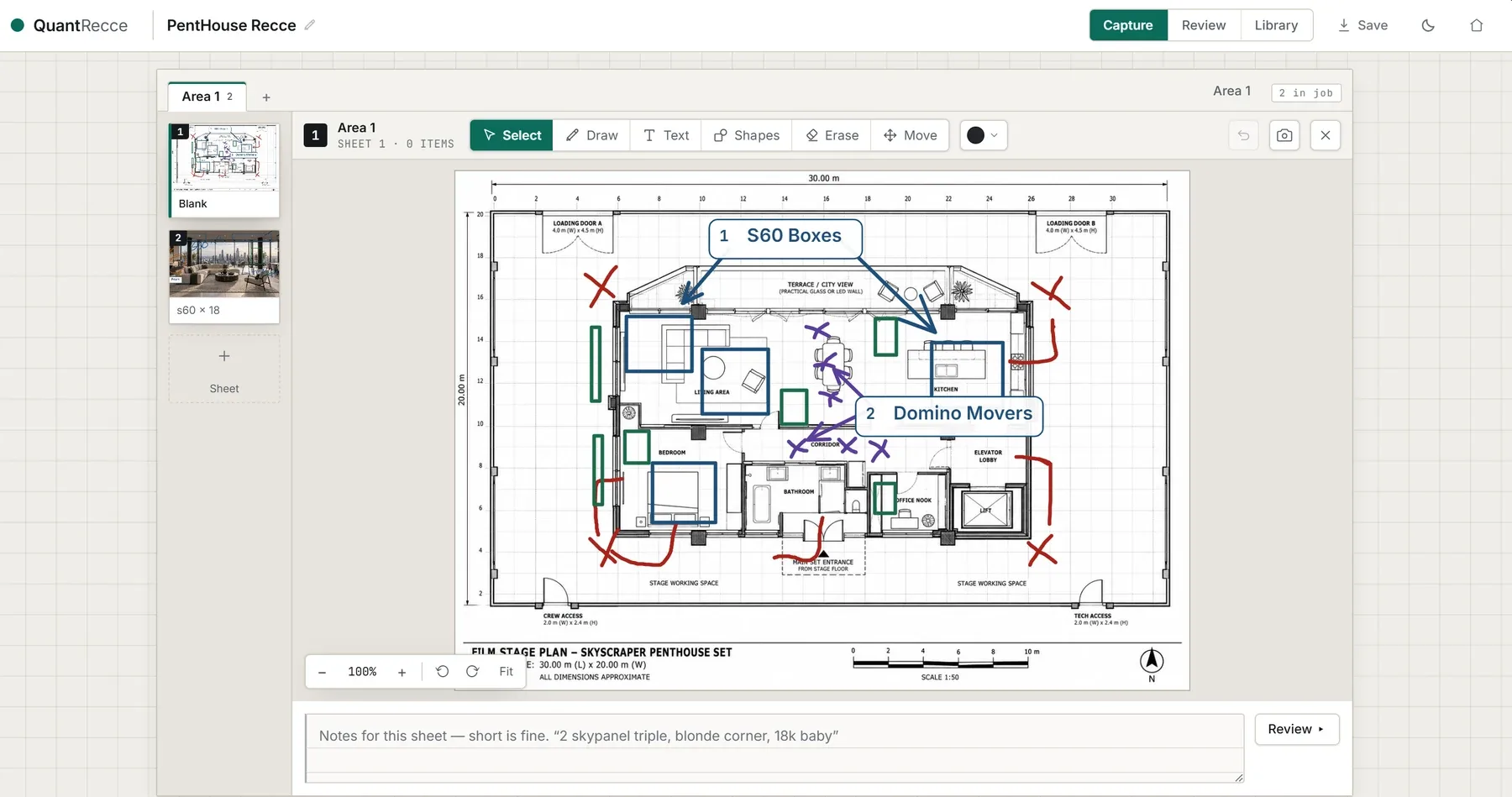
Fig. actual in-app capture — QuantRecce
- Status
- AVAILABLE
- Pricing
- CONTACT US
- Platform
- BEST ON IPAD — WORKS ON A PHONE TOO
- Sheet
- SH-04 / REV C
Record the recce where you stand.
Walk the location with an iPad and capture it as you go — the spaces, the access, the power, the problems. An area per space, a sheet per idea: draw on it, photograph under it, write what you need beneath it. Notes land against the place they belong, not in a notebook you'll be decoding on the drive home.
- Best on iPad — works on a phone too
- Whatever your department needs to note
- Everything tied to the space it's in
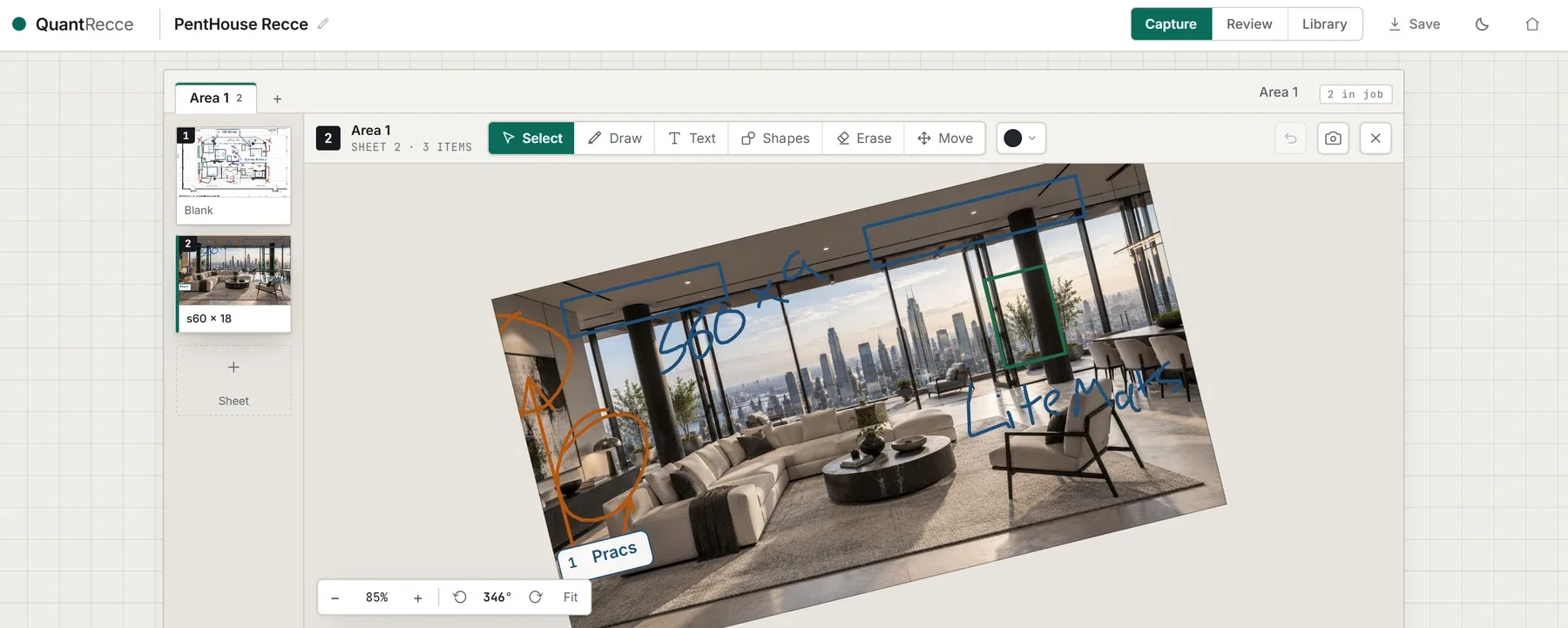
Fig. actual in-app capture — QuantRecce
Your scribbles become the order list.
Type the shorthand you already use — 4x s60, 2 windup, 63a — and QuantRecce turns it into a clean order list automatically, against your own hire company's form. It works the layout out from the Excel form you upload, so a rigging sheet or a grip sheet fills just like a lighting one. Correct it once and it remembers — on that device, and on your account if you sign in — for every job after.
- Order lists, generated automatically
- Reads your own Excel hire form
- Learns your words — quicker every job
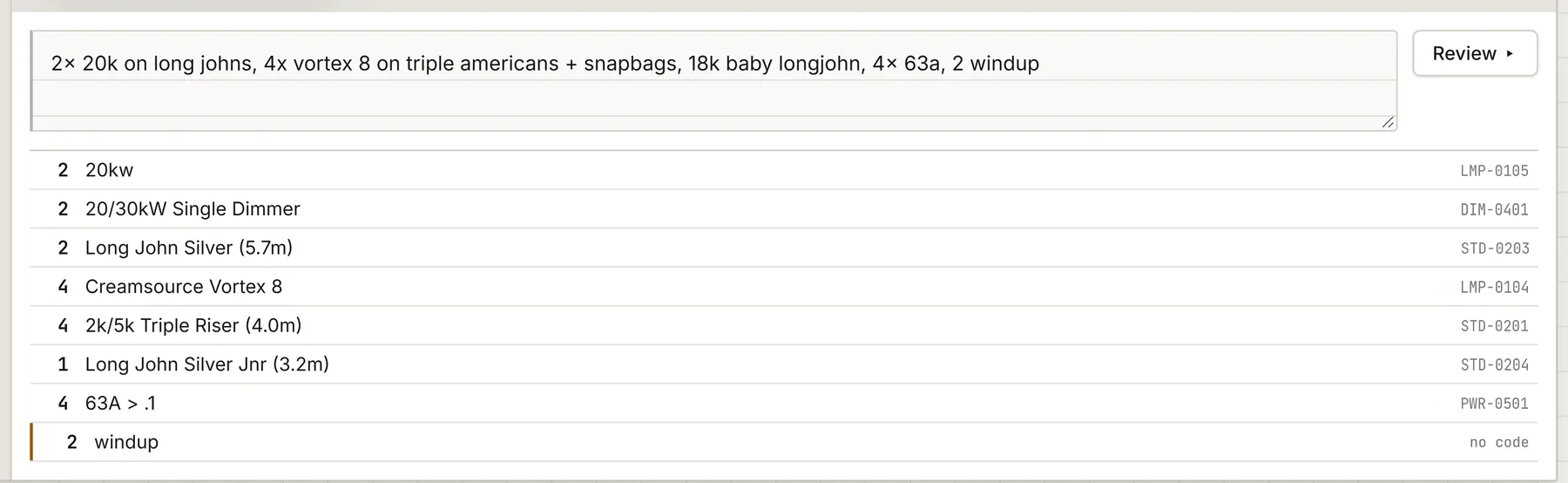
Fig. actual in-app capture — QuantRecce · specimen data, not a real job
The whole job, added up.
Every area and every sheet gathered into one list, grouped by category and totalled — with anything it couldn't place flagged rather than quietly dropped. Send it as your hire company's own order form, or as a recce PDF the rest of the crew can actually read.
- Every area, totalled in one list
- Out as your own order form, or a PDF
- Nothing guessed — unknowns are flagged
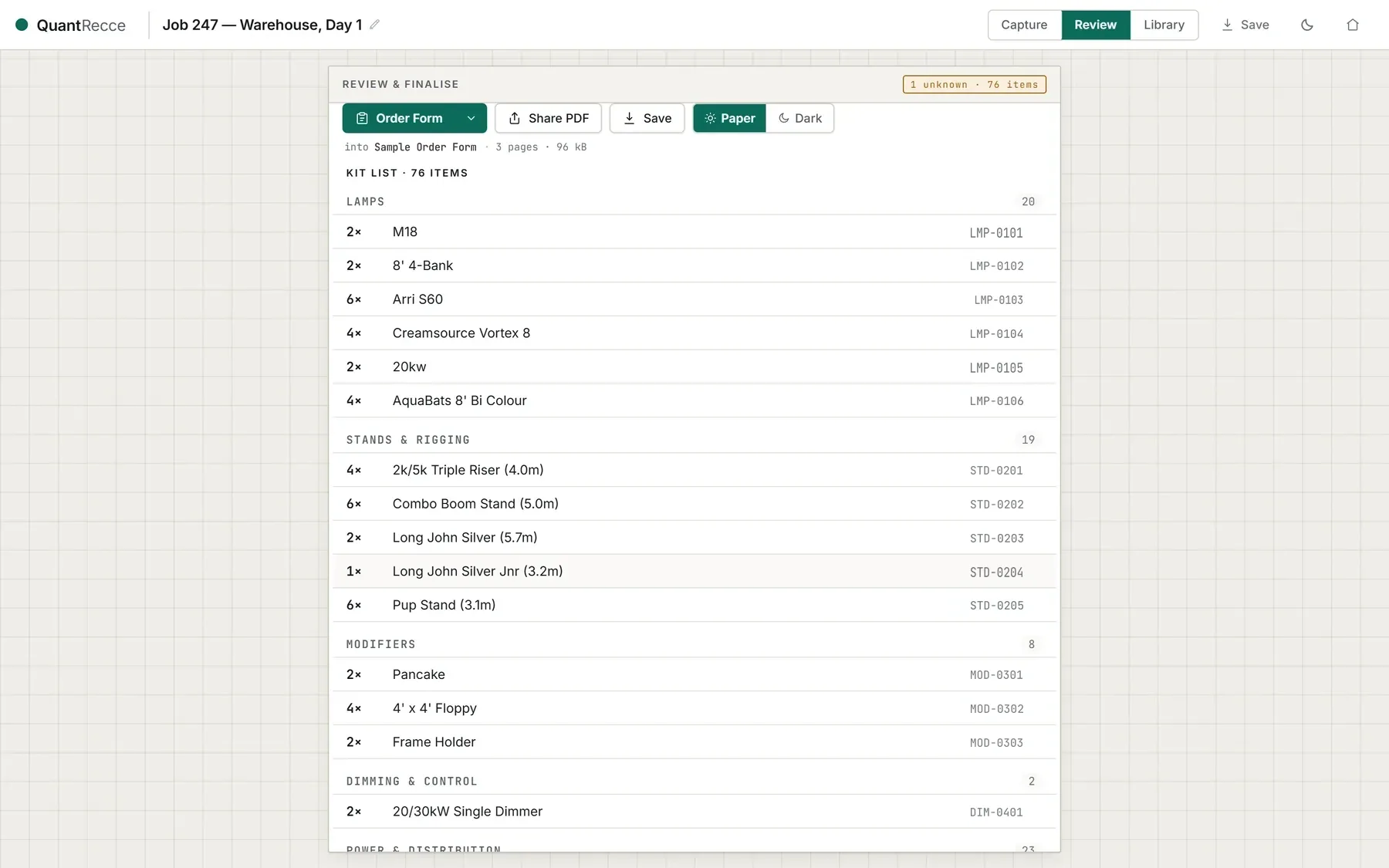
Fig. actual in-app capture — QuantRecce · specimen data, not a real job
QuantRecce · available now
Contact us for pricing and quotation details.
Best on iPad — works on a phone too
press Esc for the suite · flick on for the next sheet