QuantCrew
Plan the schedule, track your crews and units — then turn the whole run into a production-ready labour-days spreadsheet, gathered automatically from the schedule you already built. Your departments are yours to name, so it fits whichever one you run.
- One board for the whole run
- Your departments, your crews
- Labour-days → production-ready Excel
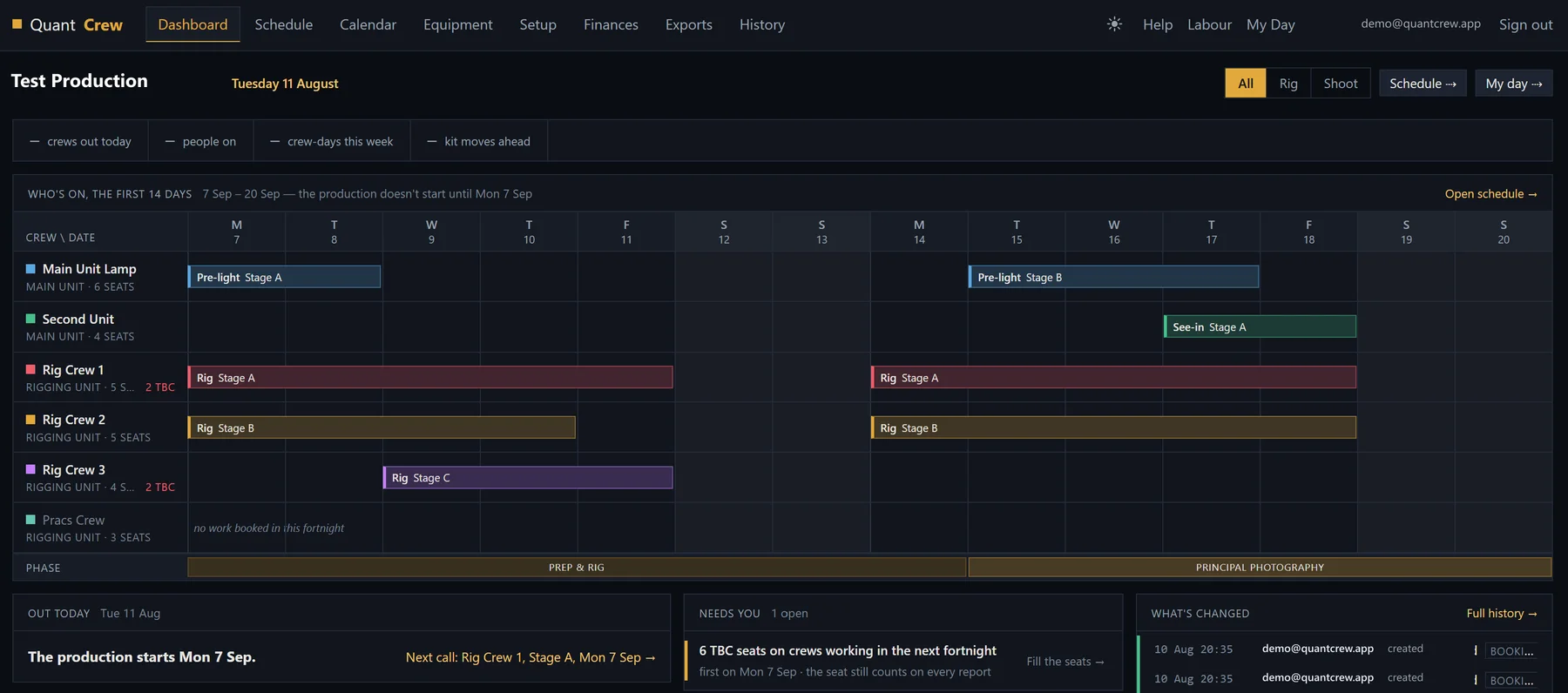
Fig. actual in-app capture — QuantCrew · specimen data, not a real production
- Status
- AVAILABLE
- Pricing
- CONTACT US
- Platform
- DESKTOP & TABLET · PHONE COMPANION
- Sheet
- SH-03 / REV C
The whole run on one board.
Build the rig and shoot schedule side by side — pre-rig, rig, shoot and de-rig on one timeline the office and the floor can both read. Then print it A3 and pin it to the wall: the board is laid out to be read at arm's length, on paper, mid-job.
- Rig & shoot schedule, side by side
- A3 print-ready boards
- Reads at arm's length on the wall
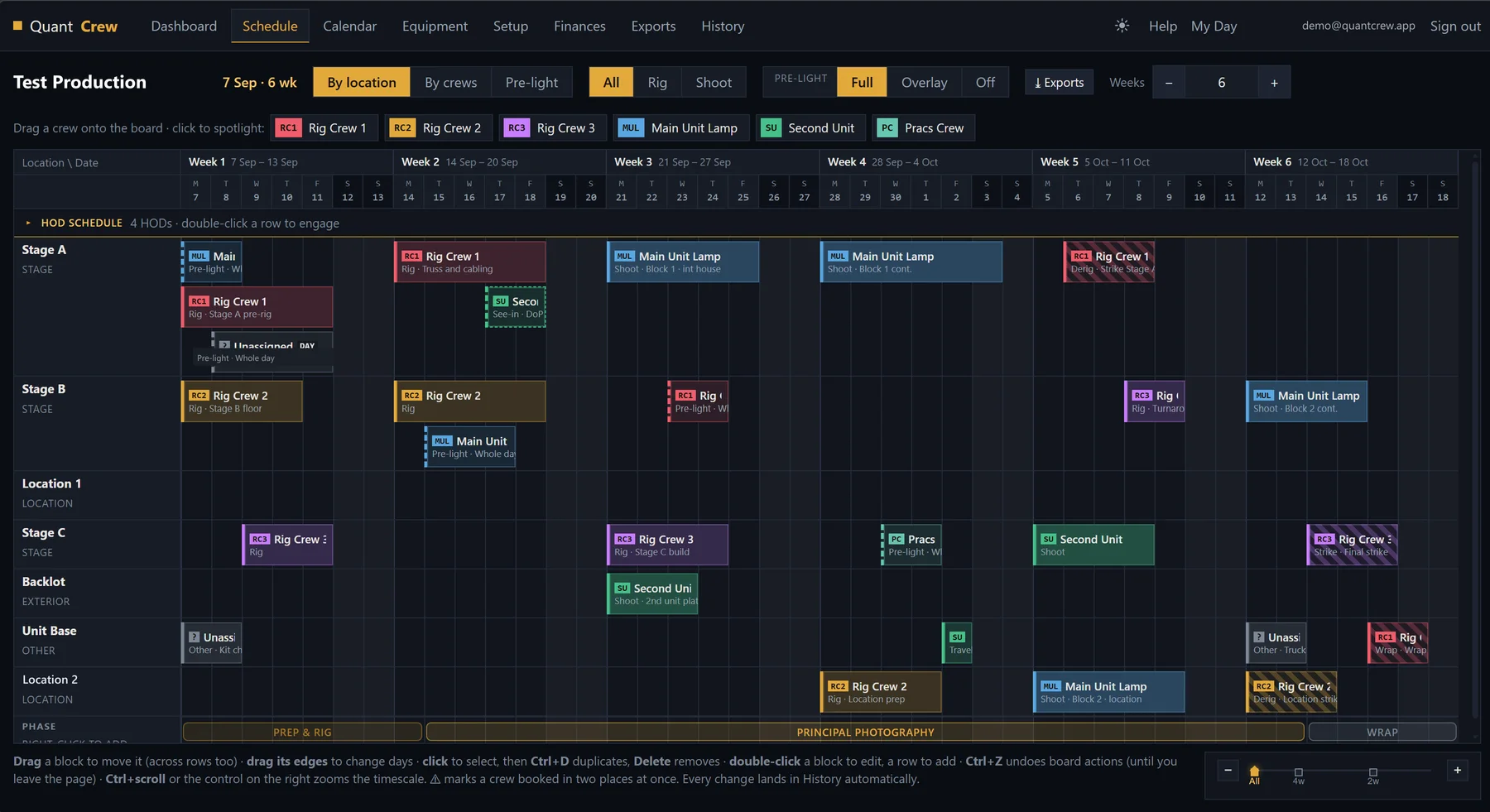
Fig. actual in-app capture — QuantCrew · specimen data, not a real production
The day, in your pocket.
Open QuantCrew on a phone and it becomes a companion to the board: what kind of day it is, where everyone is, and anything the office has put out. Same address, same sign-in, nothing to install — the full board is still there on a laptop or an iPad.
- Today at a glance — the day, the week, the diary
- Notices & alerts from the office
- Who's where, named
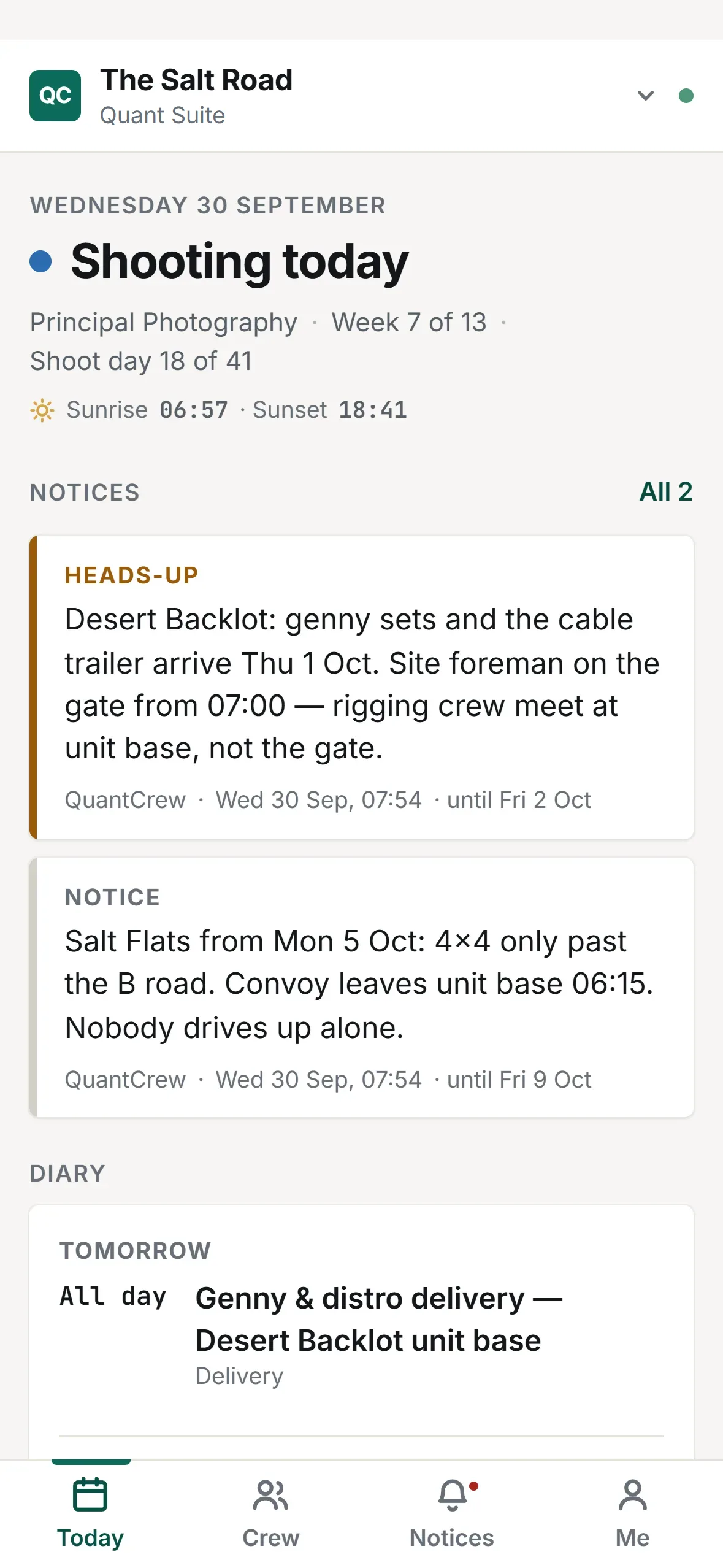
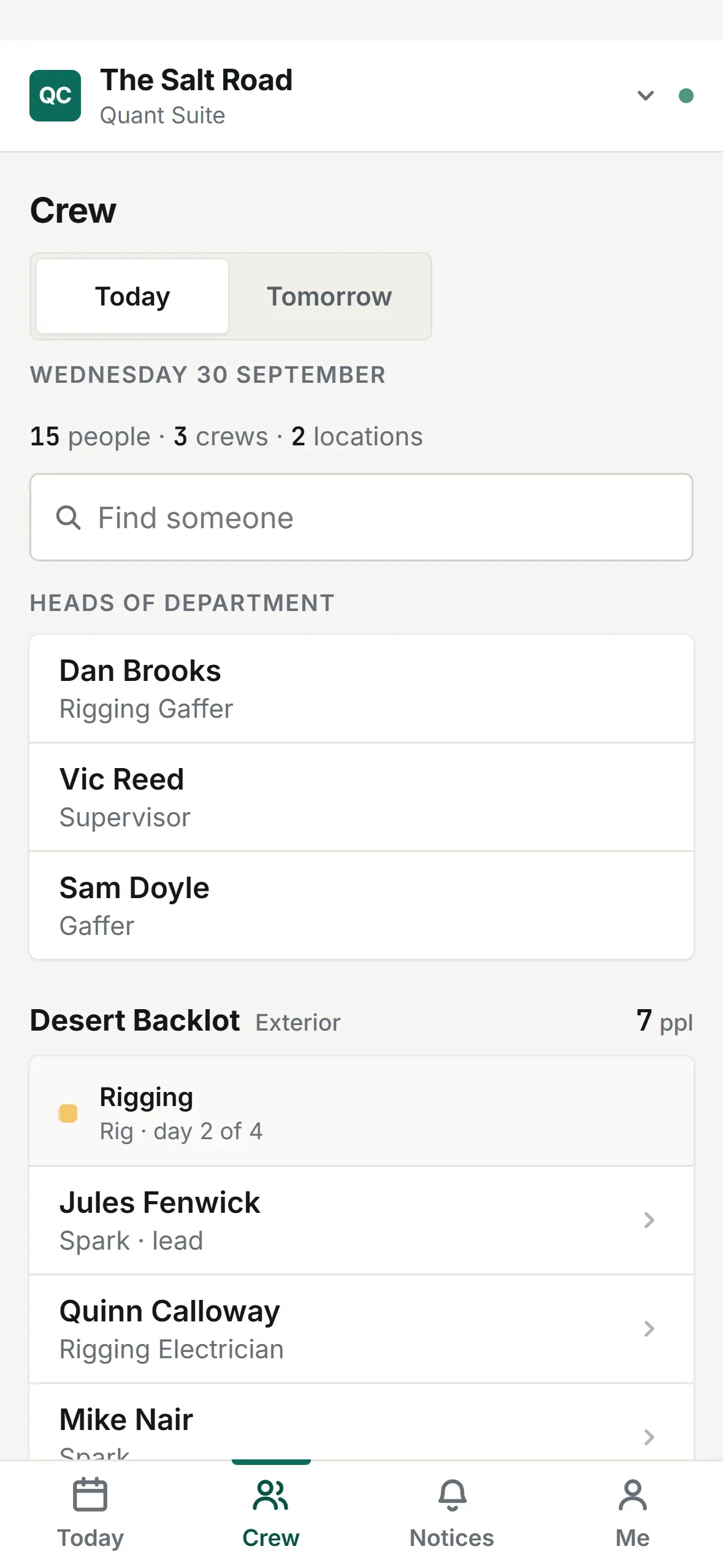
Fig. actual in-app capture — QuantCrew · specimen data, not a real production
Your people, in one pool.
Keep your core crews and line-ups in one place, backed by your Core Team — the pool of people you actually call. Allocate them across the run and the board shows who's on, where, and when.
- Core crews & line-ups
- Core Team — your people pool
- Allocate across the whole run
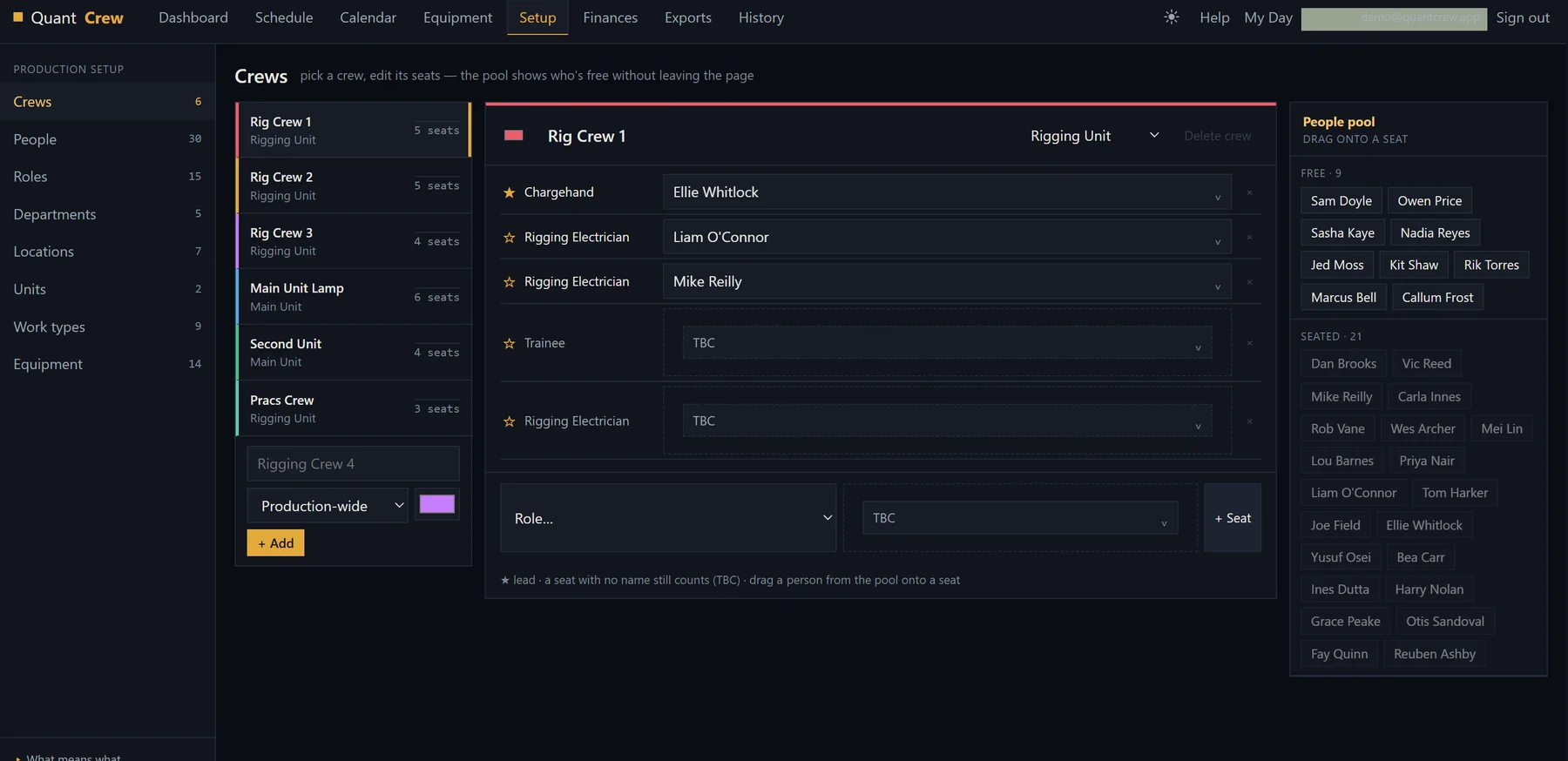
Fig. actual in-app capture — QuantCrew · specimen data, not a real production
Your schedule becomes the cost sheet.
This is the heart of QuantCrew. Everything you've already built — the schedule, the crews, the claw-backs — is gathered automatically into a labour-days sheet and exported as a production-ready Excel spreadsheet. No retyping, no late-night totting up: press export, send it to production.
- Production-ready Excel export
- Gathered automatically from schedule & crews
- Allocation, tracking & claw-back — all counted
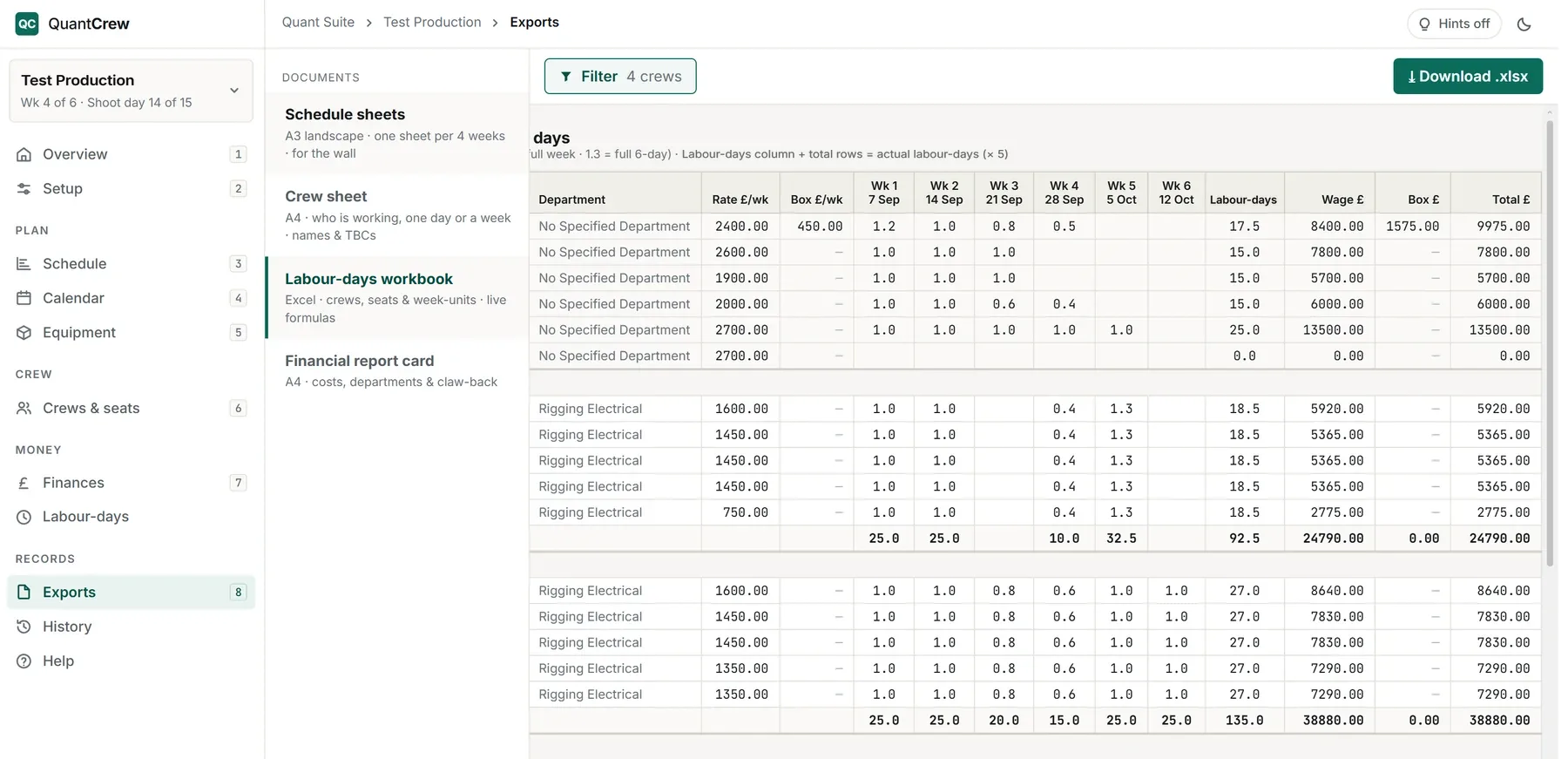
Fig. actual in-app capture — QuantCrew · specimen data, not a real production
See where the money lands.
A financial summary that builds itself from the board — labour totals, labour-days and a blended £ per labour-day, split by crew, location or department, week by week. Check the spend before production asks, and hand over the report card or the full Excel workbook when they do.
- Whole-run & per-week summaries
- Split by crew, location or department
- Report card & Excel workbook
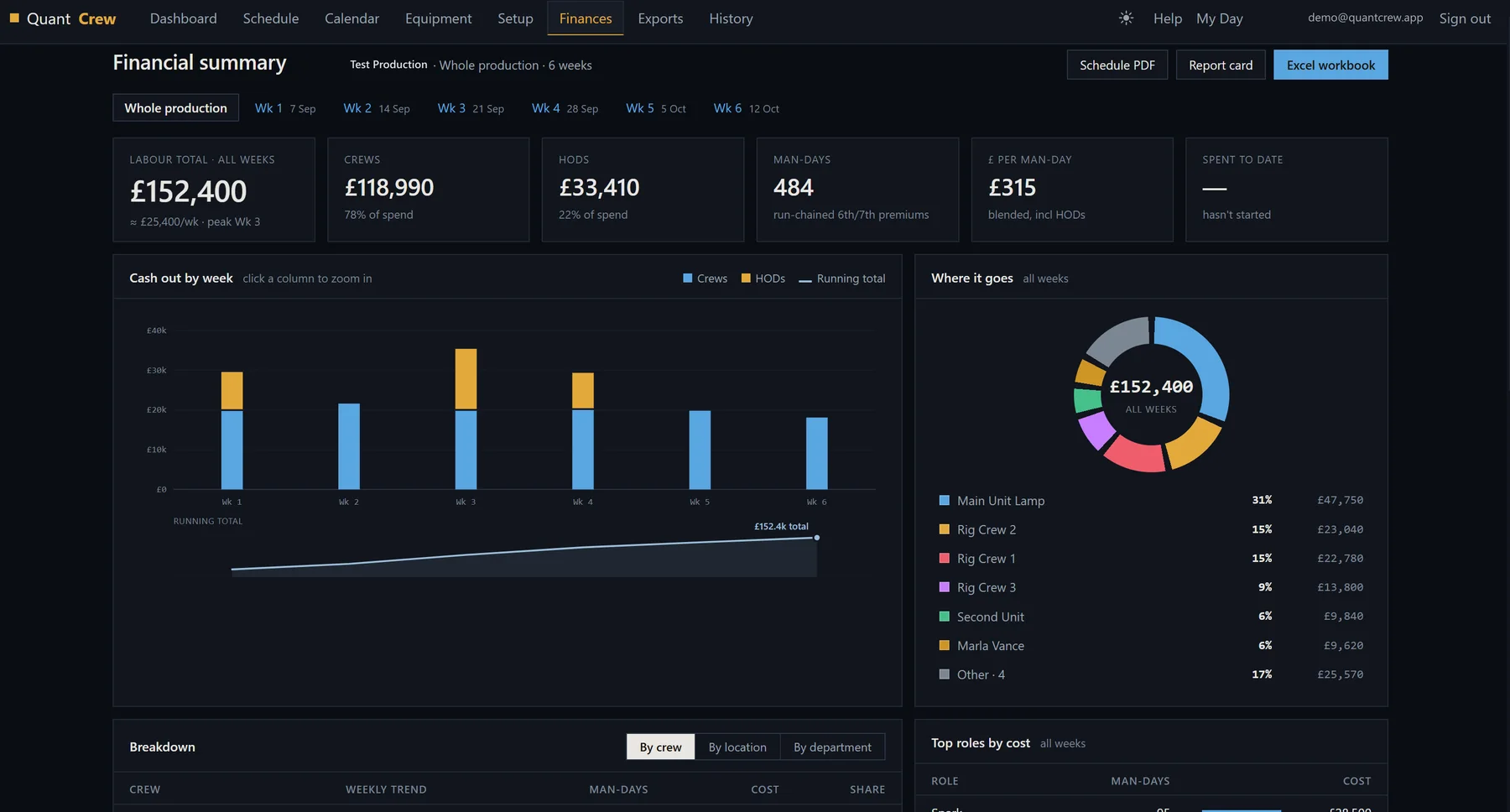
Fig. actual in-app capture — QuantCrew · specimen data, not a real production
QuantCrew · available now
Contact us for pricing and quotation details.
Desktop & tablet · phone companion
press Esc for the suite · flick on for the next sheet