QuantPlot
Draw the rig on the grid, patch it from your own fixture library, and hand over the paperwork the floor actually wants.
- Plots & rigging plans
- Import your own fixtures
- Patch sheet, prep & weight lists
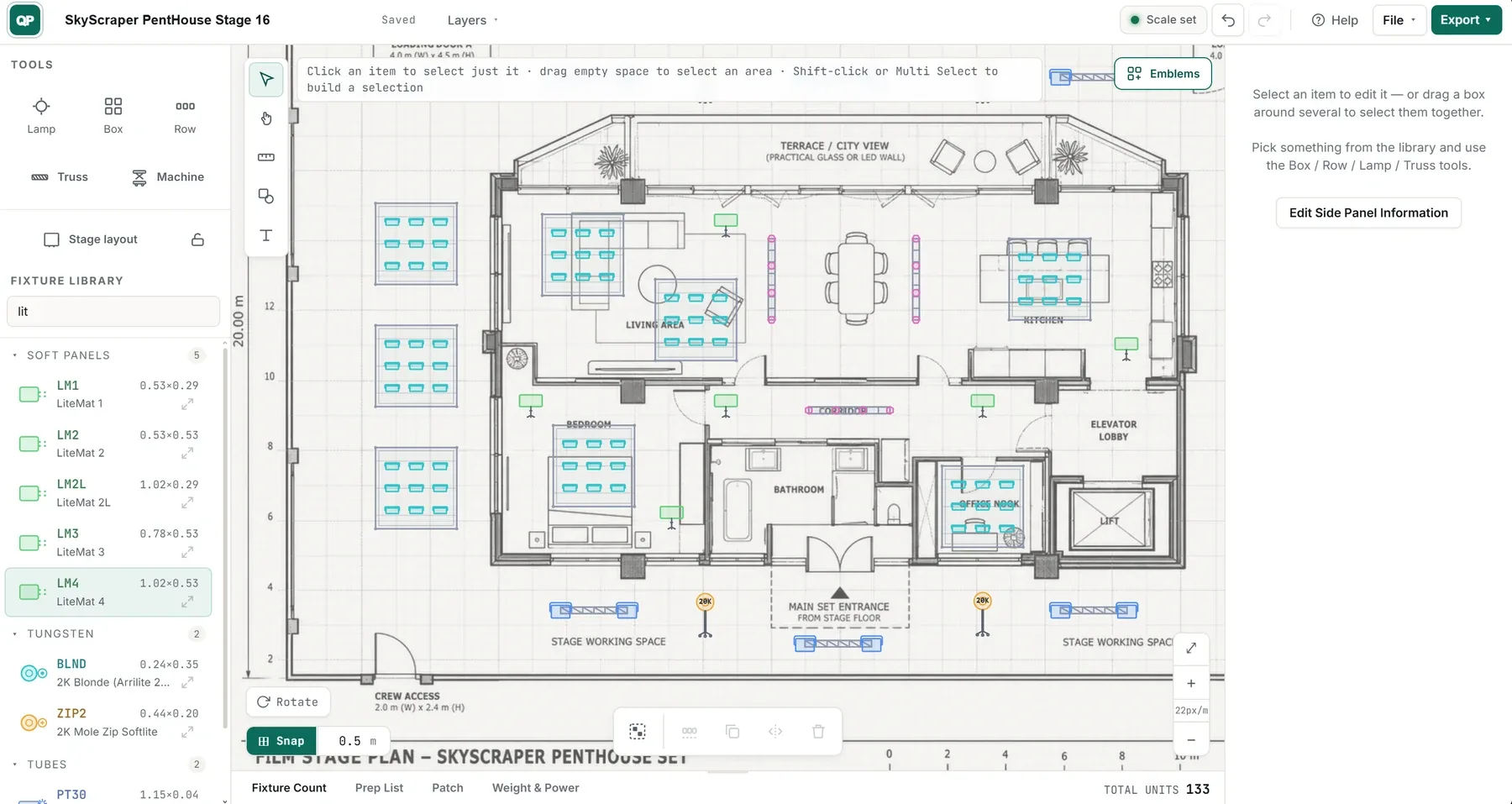
Fig. actual in-app capture — QuantPlot
- Status
- AVAILABLE
- Pricing
- CONTACT US
- Platform
- BUILT FOR IPAD & DESKTOP
- Sheet
- SH-02 / REV C
Lay down a rig in minutes.
Drag a fixture onto the plan and it snaps to the grid. Build a row, mirror it, array it, and the whole rig follows. No menu-hunting, no drafting degree — just the plot, the way you'd sketch it on the floor.
- Snap-to-grid placement
- Mirror, array & duplicate
- Quick to open, even offline
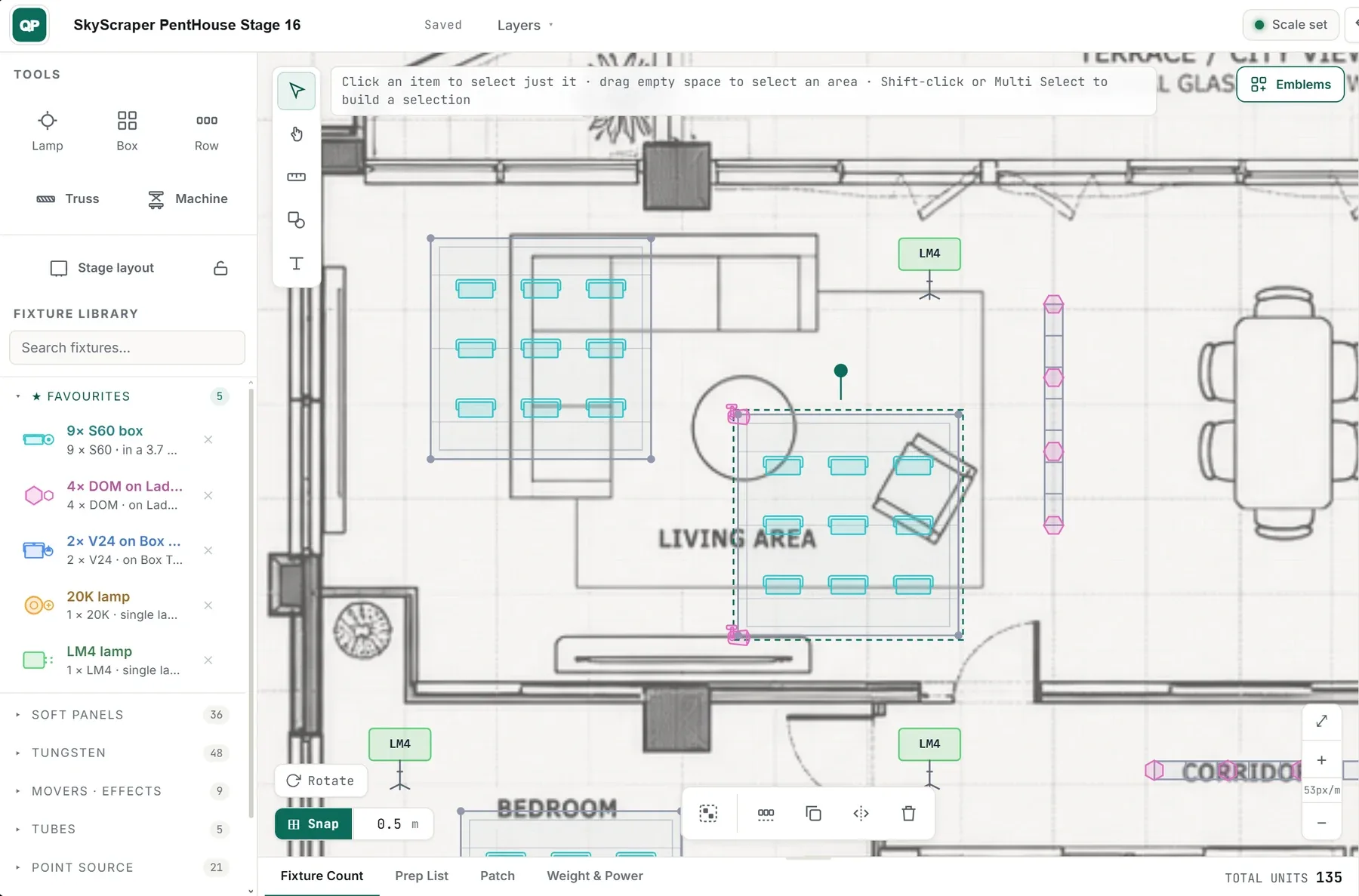
Fig. actual in-app capture — QuantPlot
A library that already knows the kit.
QuantPlot ships with a built-in library of fixtures, machines and rigging apparatus — ready to drop straight onto the plan. Add your own alongside them — fixtures, beams and machines, with your own codes. Build it once, reuse it on every job.
- Built-in fixtures, machines & rigging
- Add unlimited custom items
- Sync your libraries across devices
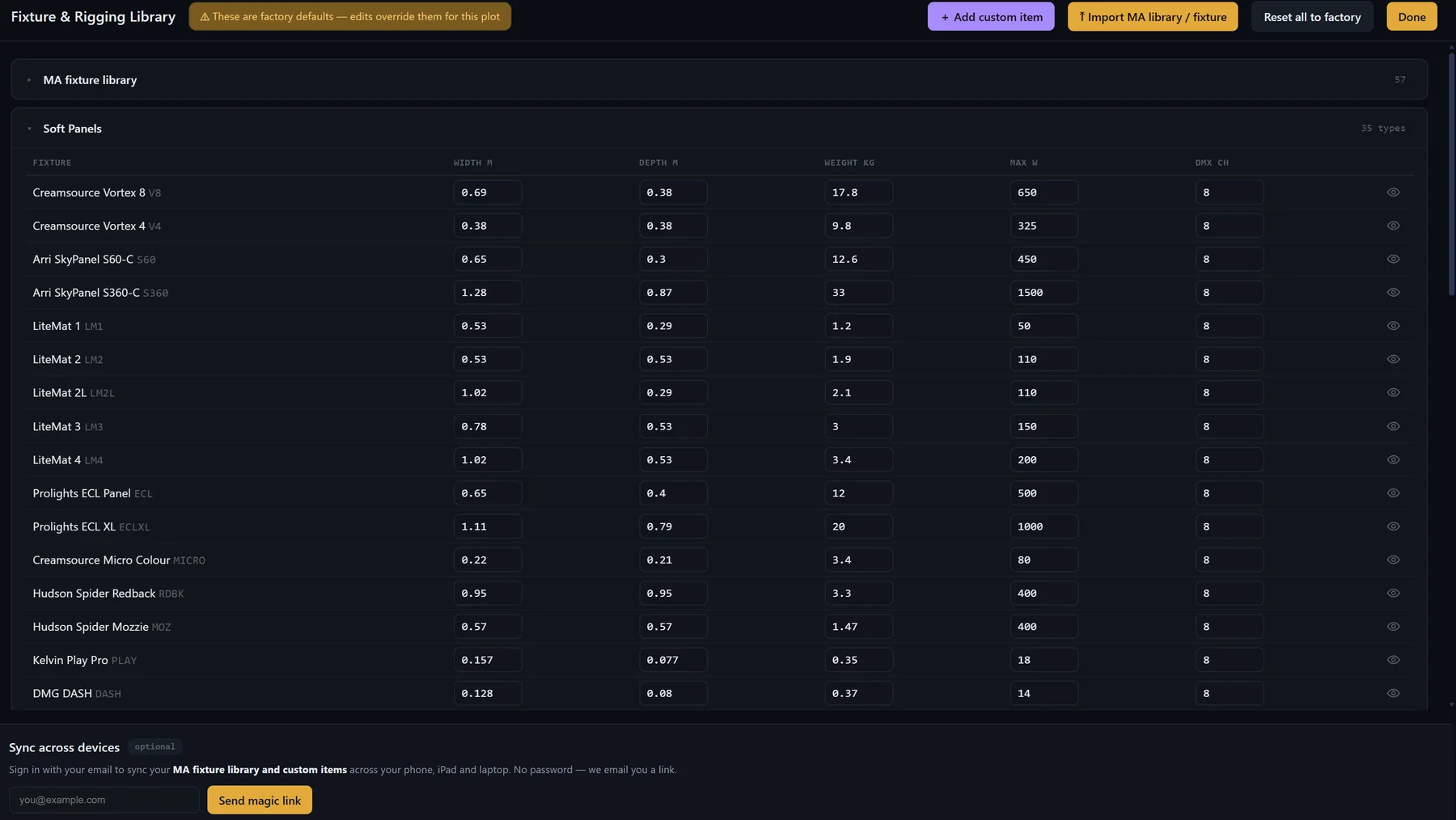
Fig. actual in-app capture — QuantPlot
Bring your own fixture library.
Import your own custom fixture library straight from a grandMA2 export, then set each fixture to the right mode. The real channel footprints drive the patch — so the addresses you hand over match the rig that actually goes into the desk, not an approximation.
- Import your own fixture library
- Set the DMX mode per fixture
- Real footprints drive the patch
A full grandMA2 export keeps some manufacturer fixture types encrypted. QuantPlot imports every readable type, flags the protected ones by number, and lets you bring those in one at a time from a single-fixture export.
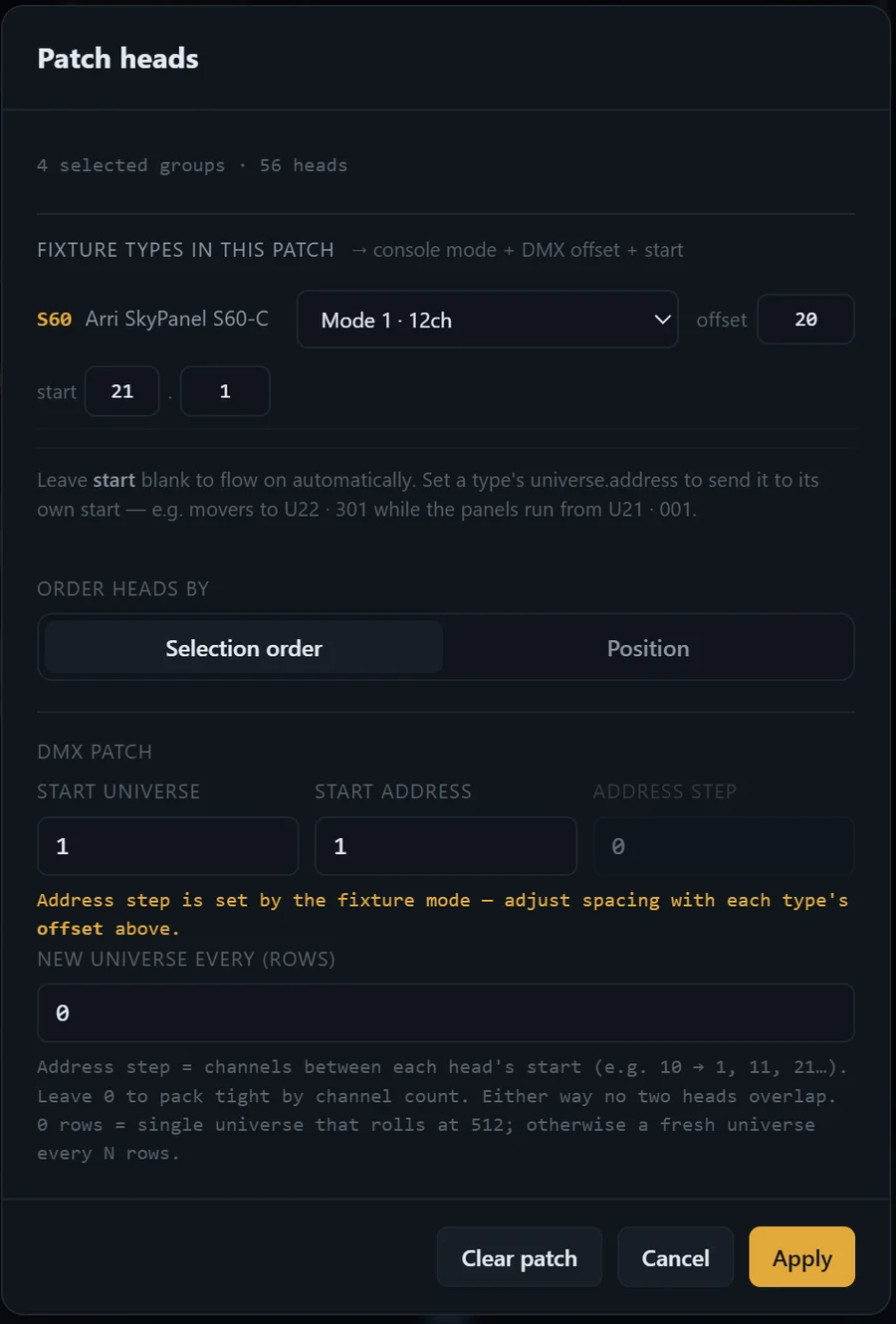
Mode
Mode 1 · 12 ch
Fig. actual in-app capture — QuantPlot
Patch sheets that travel all the way to the desk.
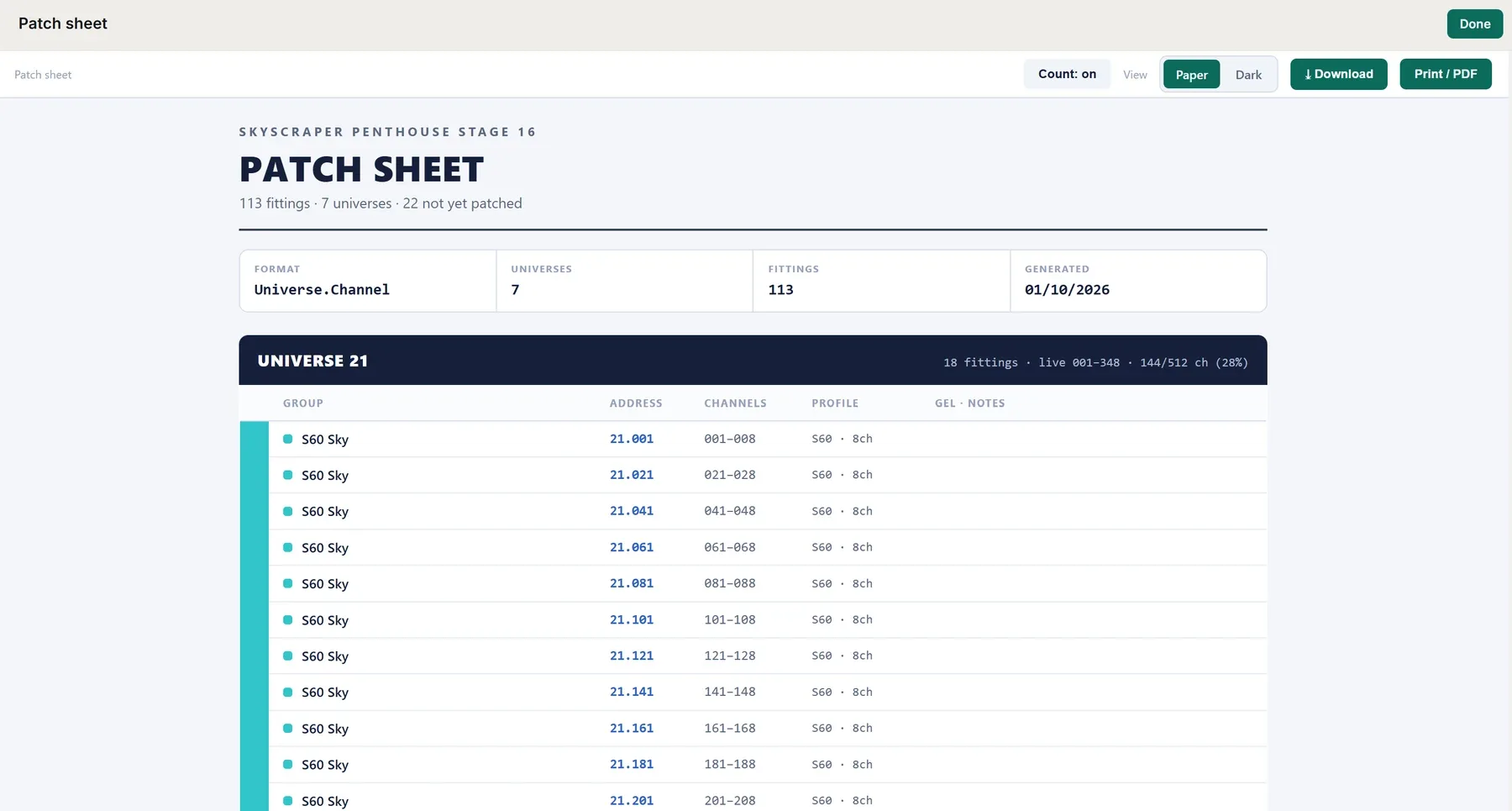
Set your own universes and channels, and QuantPlot generates a fully custom patch sheet to match — laid out your way, ready to export as PDF. When the patch is locked it goes with you: export it straight to the desk as a grandMA2 patch XML, and print fixture labels onto A4 sheets for the prep floor.
- Your own universes & channels
- Patch sheet PDF · grandMA2 patch XML
- Fixture labels, print-ready on A4
Export
XML · PDF · A4 labels
Fig. actual in-app capture — QuantPlot
Weight and power, worked out as you plot.
QuantPlot keeps a running tally of the rig's weight and power, and balances the power across your phases with one press — so you can see where the load sits before the truck arrives, not after it's hung. It's an honest working estimate from the kit you place, not a part-by-part certified figure.
- Running rig-weight estimate
- Power per phase, balanced in one press
- See where the weight sits
These figures are a planning estimate, not a certified load calculation. They're built from the fixtures and kit you drop on the plan — they won't account for every clamp, corner block, cable and fitting, so treat them as a guide to where the weight and power land, not an exact total. Always verify against manufacturer data and have the rig checked and signed off by a competent person before anything is rigged or flown.
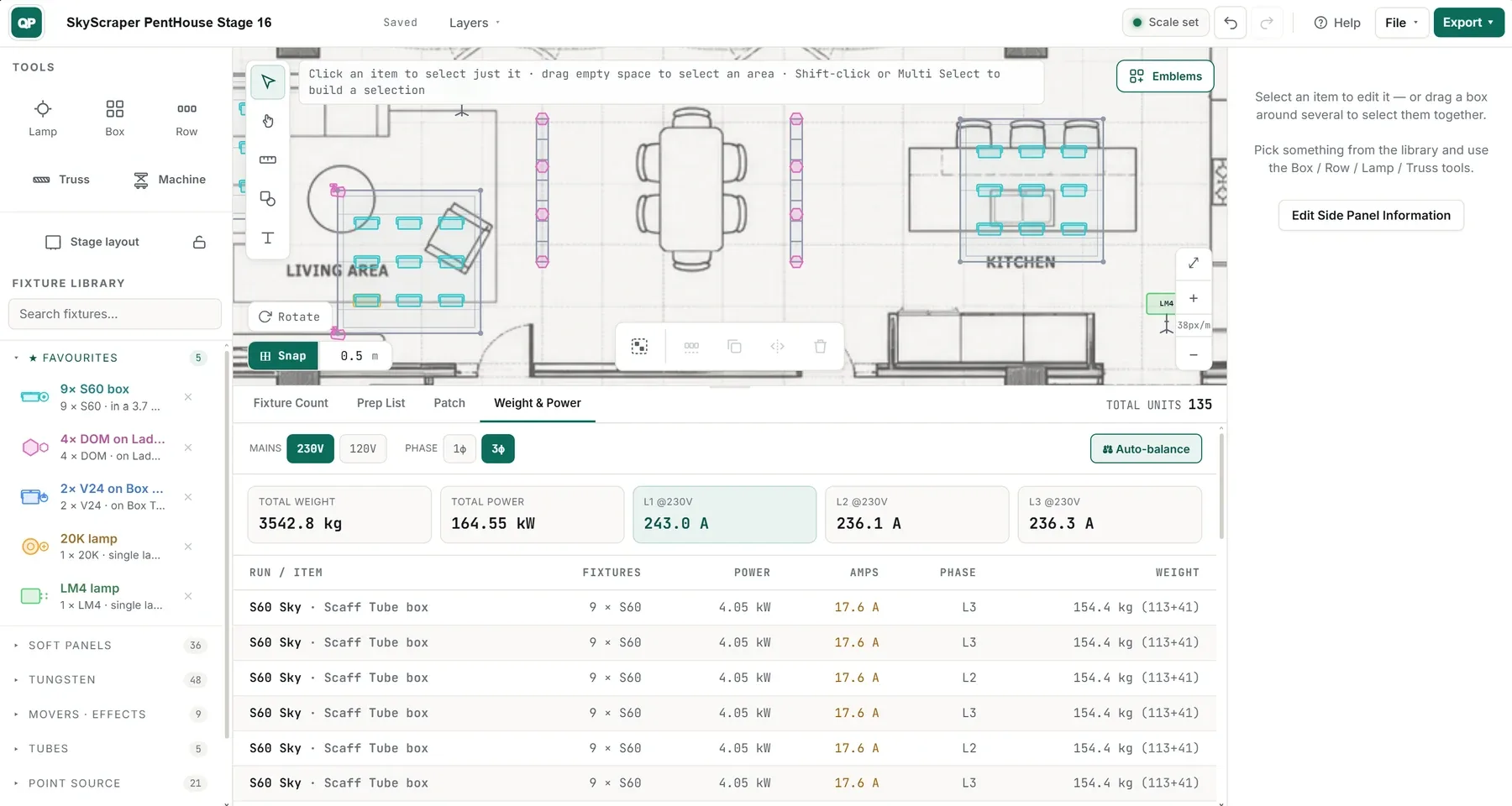
Fig. actual in-app capture — QuantPlot
QuantPlot · available now
Contact us for pricing and quotation details.
Built for iPad & desktop
press Esc for the suite · flick on for the next sheet